
There can be several reasons why you are no longer receiving emails in your account hosted at Host-Age.com. Below we list some steps to help you troubleshoot the issue and start receiving emails again at your address.
Check the available space on your entire hosting account
The most common situation is lack of space, either on the entire hosting account or the specific email mailbox (see the next point). To check the available space, log in to cPanel and on the right side you will see a small table with various statistics about your web hosting account. Look for the Disk Usage section to see the space used out of the total account space.
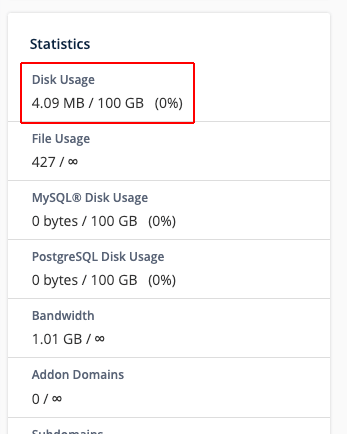
In the image above, 4.08MB is used out of 100GB total. So there is enough space. However, if you see the space is 100% used (or very close), we recommend upgrading to the next web hosting plan. Click here to see how to upgrade your hosting account.
Check the available space for the email address
Now you should check the used and available space for the email address(es) that are no longer receiving emails. From cPanel, go to the Email Accounts button.
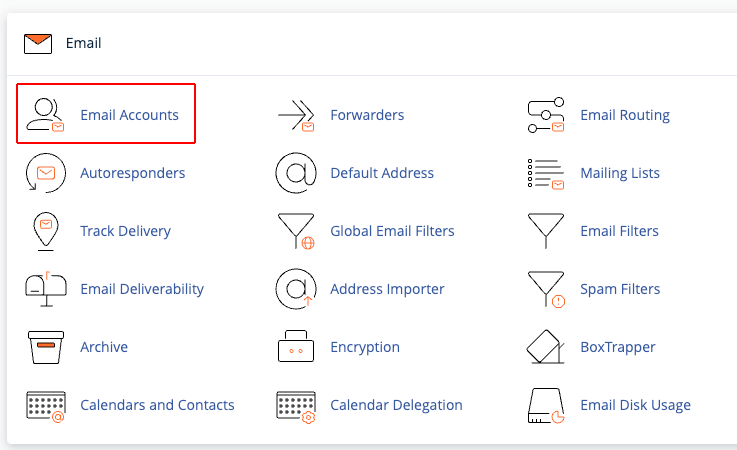
On the new page, you can see all the email addresses created on the hosting account along with the used and allocated space for each email address.
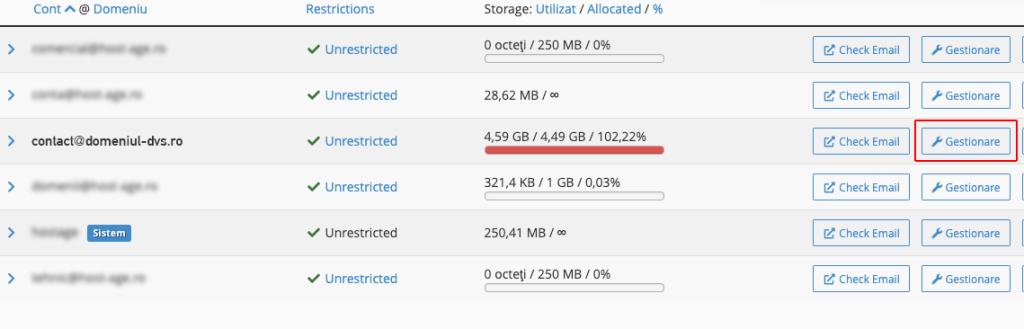
In the example above, we can see that the email address [email protected] has no space left. It uses 4.59GB out of the 4.49GB allocated. In this case, click the Manage button to allocate more space to this address.
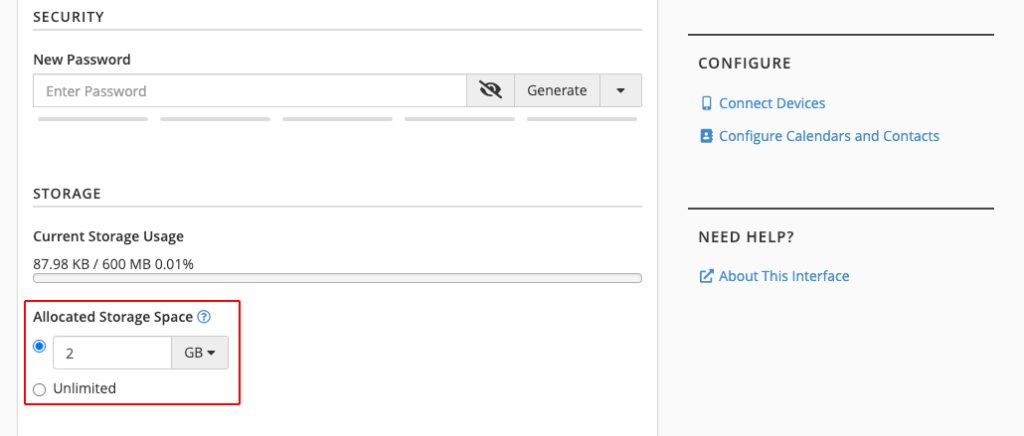
In the example above, we allocated a total of 2GB to the email address. You can also use Unlimited to allow using as much space as available in the hosting account.
Check the domain status
To receive emails, you need to ensure your domain is active. If the domain has expired, it is no longer visible on the Internet, so you cannot receive emails. If the domain was registered through us, you can check its status by logging into the client area at https://my.host-age.ro. If the domain was registered through another company, contact that company or use a whois service (e.g., www.rotld.ro for .ro domains or www.who.is for other extensions).
If your domain has expired, renew it as soon as possible to receive emails.
Access your email via webmail
An incorrect setting in your email client (Outlook, Thunderbird, Apple Mail, etc.) or an Internet provider restriction might be causing the problem. To check, access webmail. Open a new browser window and go to www.your-domain.com/webmail. If everything works correctly via webmail, then the issue is with your email client.