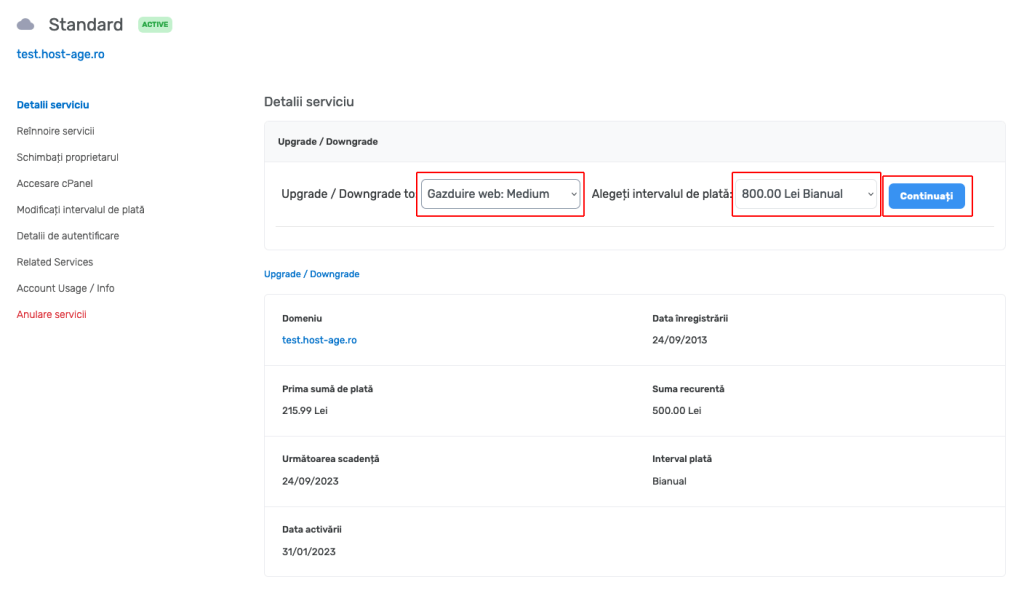
When you want to upgrade to a higher plan (applicable for web hosting, reseller hosting, or VPS servers), follow the steps below to generate an invoice for the difference between packages for the remaining period you have already paid for.
1. Log in to the management interface at https://my.host-age.ro
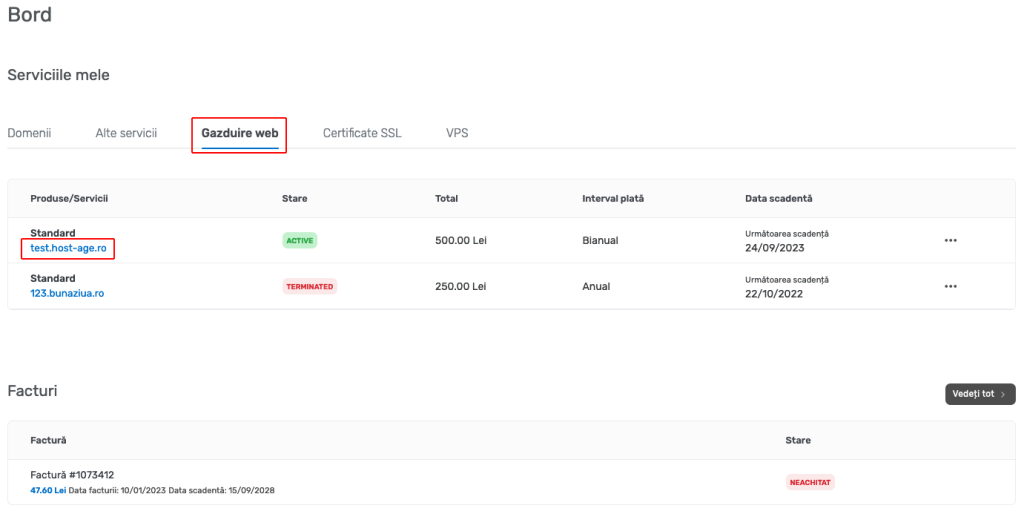
2. After logging in, on the first page click the Web Hosting button, then click the domain name for which you want to change the hosting package.
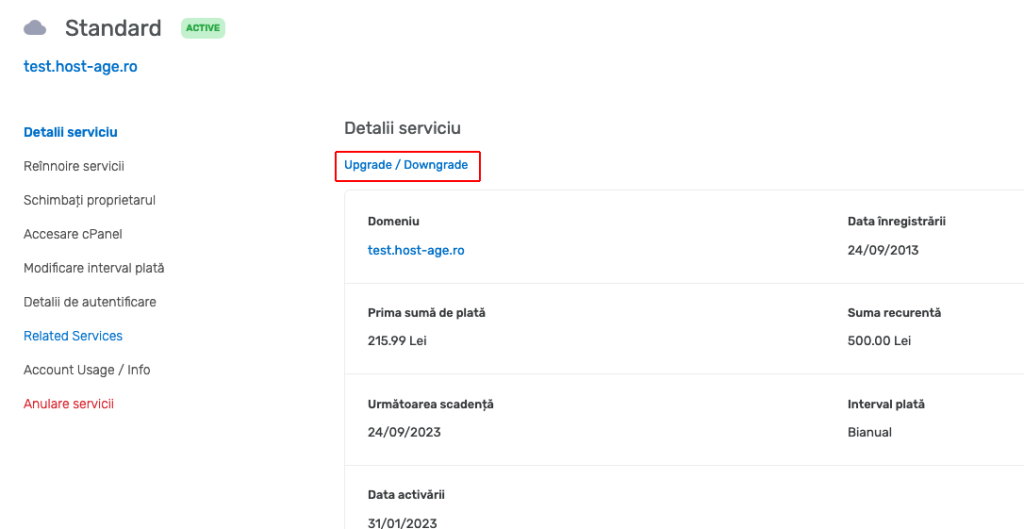
3. On the next page, click the Upgrade / Downgrade link located under the Service Details text.
4. Now you can choose the new hosting plan and also modify the payment interval if desired. Click the Continue button and the invoice will be generated automatically on the next step.