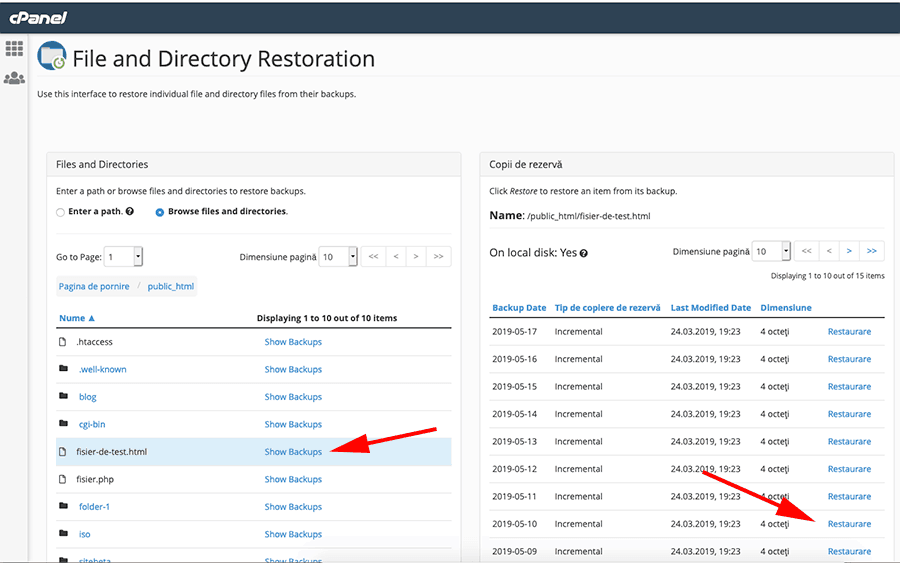
Backup Info
The system performs automatic backups every night, and you always have access to the last 10 (minimum, normally 14) backups plus the monthly backup performed on the first day of each month.
File Restoration
To restore a file or folder from a backup, log in to cPanel and click the File and Directory Restoration button as shown in the image below:
Now click on Browse files and directories and at the bottom, files and folders from the root of your account will be displayed. Then click on the folder where the desired file is located or, if you want to restore a folder, click the Show Backups link on the right side of the desired folder.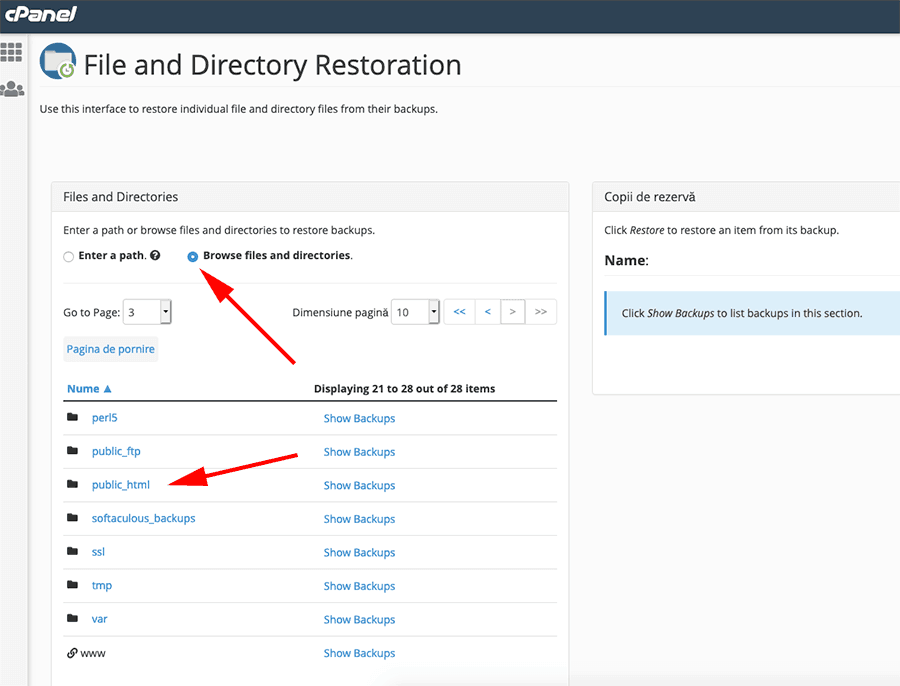
On the right side, all available backups for the selected file or directory will be displayed. Click the Restore link next to the desired date, and the system will automatically restore the selected file or files.