The Track Delivery feature in cPanel allows you to keep track of emails sent and received as well as those rejected by our server. Therefore, this is a useful tool to use whenever you encounter issues with receiving emails on your domain.
Access cPanel at www.your-domain.com/cpanel, then from the Email section click the Track Delivery button.
If you want to see the delivery report for an email address from the last 30 days, enter the email address and click Run Report.
You can also leave the text box empty and choose the Show All option to display delivery details for all emails sent from your account. Or select Show Blocked & Failed to display all blocked and failed sent emails.
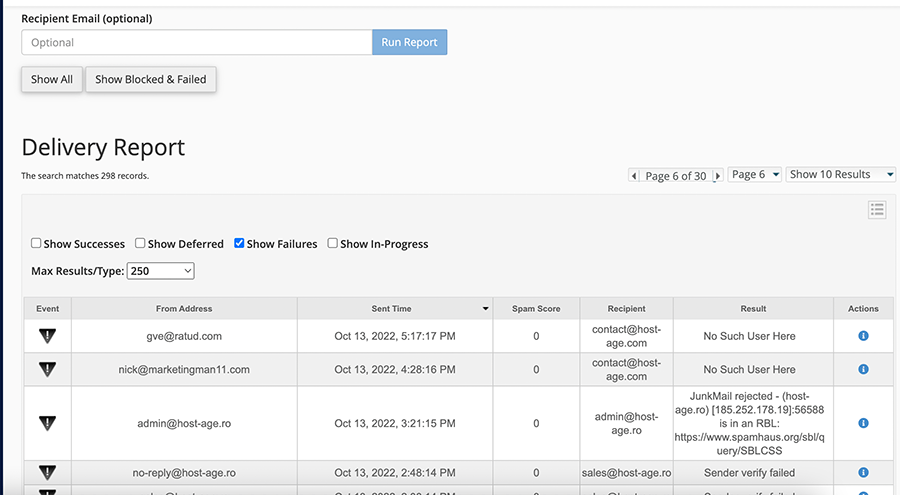
Filter types:
Show Successes – Shows all emails successfully delivered to the recipient.
Show Deferred – Shows all emails with a warning.
Show Failures – Displays emails that were not delivered to the recipient and lists any errors during email transmission.
Show In-Progress – Shows all emails currently being transmitted.
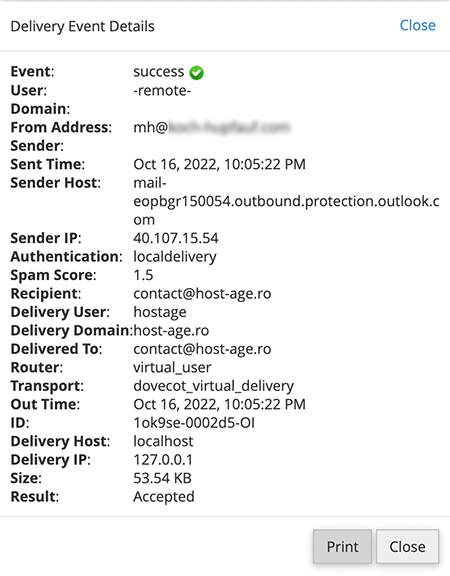
By clicking the i icon in the Actions column next to an email, you get detailed information about that transmission as shown in the image below.