
A .ro domain registered through another company can be transferred to Host-Age.com in just a few minutes, and the registrar transfer does not change the domain’s current expiration date. After transferring the domain to us, you will be able to manage the domain (modify DNS or contact details) from the client interface.
The transfer is free, and we will issue a renewal invoice 15 days before the expiration date. Alternatively, you can generate the invoice in advance for the desired period from your client account.
To transfer a .ro domain to Host-Age.com, proceed as follows:
1. Visit www.rotld.ro, and from the “Domenii .ro” menu select “Administrare On-Line,” where the transfer key to another Registrar will be generated.
2. The authorization key will be automatically sent by RoTLD to the domain holder’s email account.
Video tutorial showing how to obtain the transfer code from RoTLD for .ro domains:
3. Once you have the key, you can perform the domain transfer by visiting https://www.host-age.com/domains-transfer/
4. Enter the domain name without the .ro extension, select the .ro extension, and click the Transfer button.

5. On the next page, click the Transfer button and then Activate Selected.
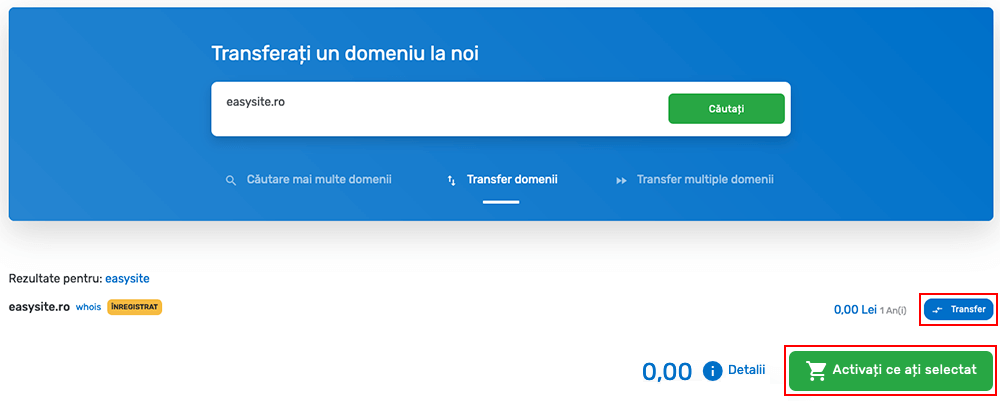
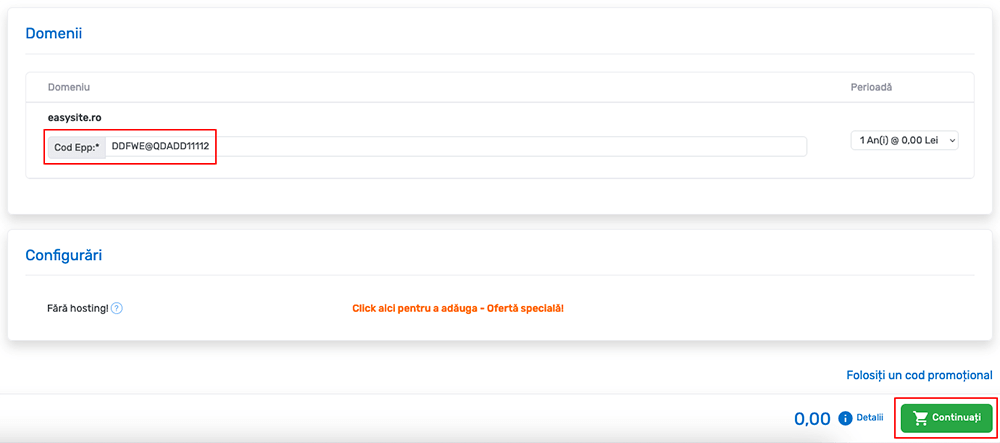
6. At the EPP Code field, enter the code received by email from RoTLD and press the Continue button.
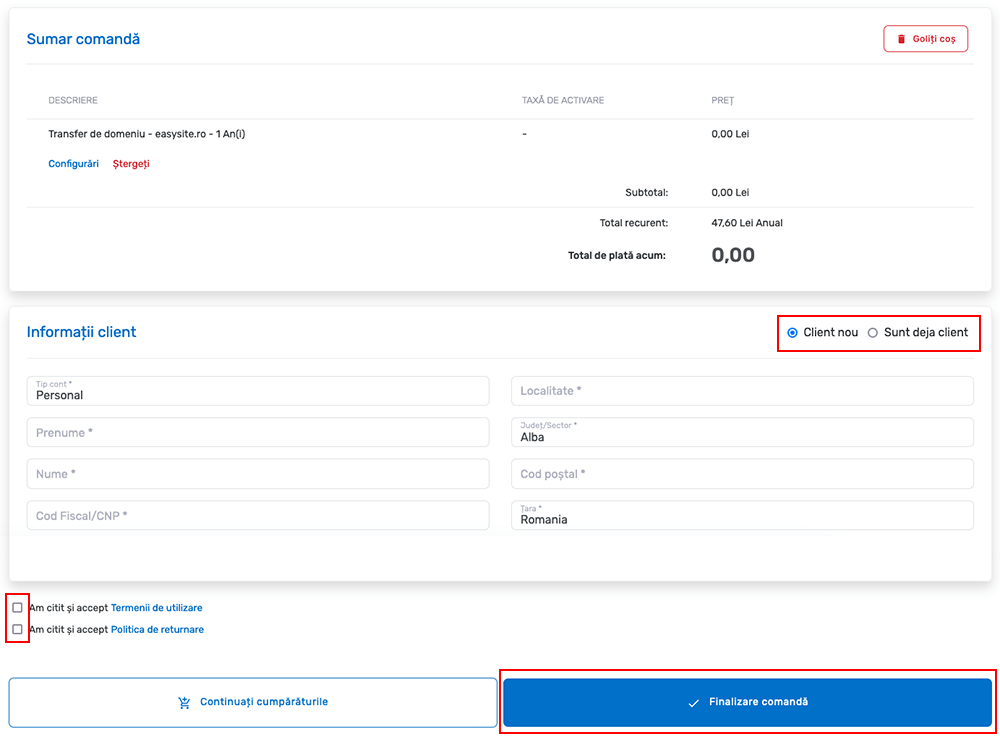
7. If you already have a client account, click Already a Client, or if not, fill out the form with the required details. You must agree to the Terms of Use and the Refund Policy, then click the Complete Order button.
8. At this point, the domain has been transferred and you can manage it from your account. Also, you can generate a renewal invoice for a period between one and nine years if desired.