
Attention! To use the MyCloudDNS service, the domain must have the following NS records:
ns22.host-age.com
ns23.host-age.com
NS records can be changed by following the steps here: https://www.host-age.com/kb/internet-domains/how-change-dns-domain/
Shopify Site Configuration
Log in to your client account at https://my.host-age.ro and add the domain under Other Services as shown in the image below.
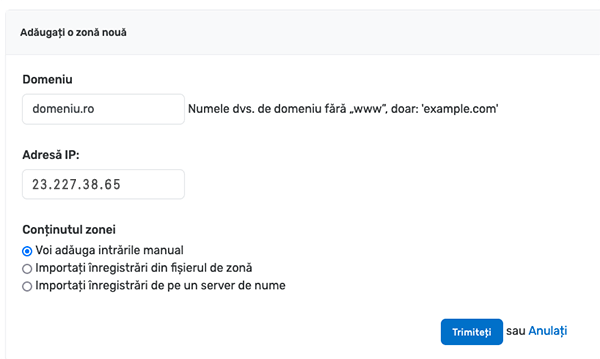
Currently, Shopify uses the IP address 23.227.38.65 for all accounts. This IP must be set as shown above unless you have been given a different one.
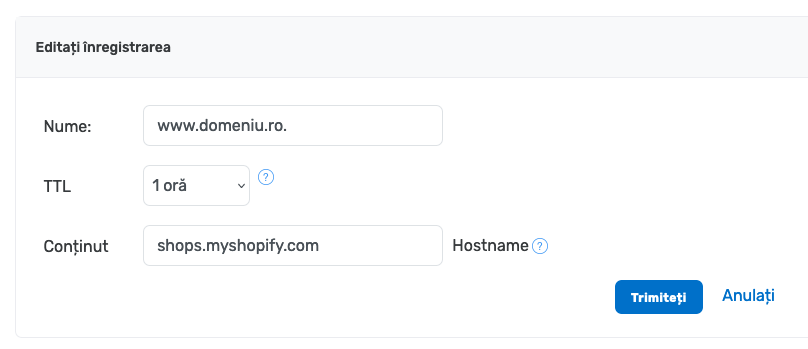
Now you can edit the DNS zone. Look for the CNAME Records section and click the Edit link next to the entry www.yourdomain.ro.

On the next page, edit the records as shown below, setting TTL to 1 hour and Content to shops.myshopify.com, then click the Submit button.
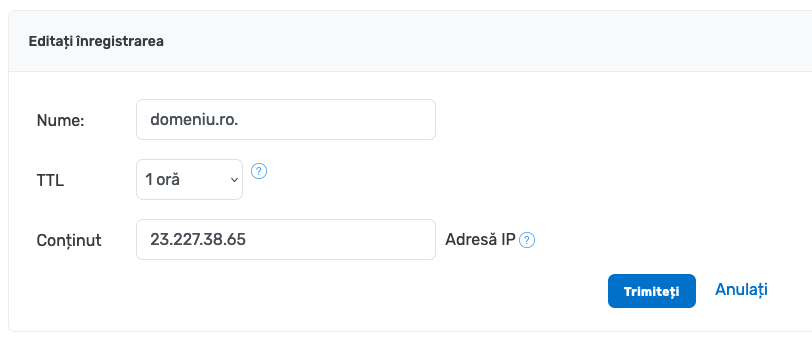
Next, look for the A Records section and click the Edit link next to your domain name.

Fill in the details as shown below, entering IP 23.227.38.65 in the Content field and click the Submit button.
MX Settings for Using Email on a Domain Hosted with Shopify
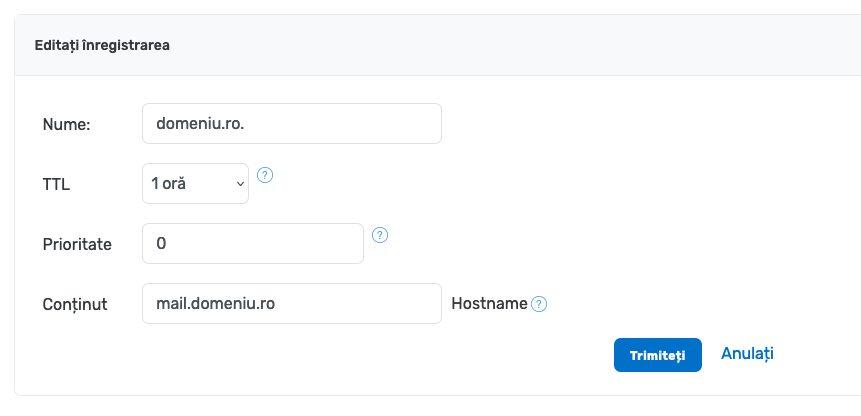
If you want to use email addresses hosted on another server for this domain, look for the MX Records section and click the Edit link.

In the Content field, enter mail. before the domain name as shown below and click the Submit button.
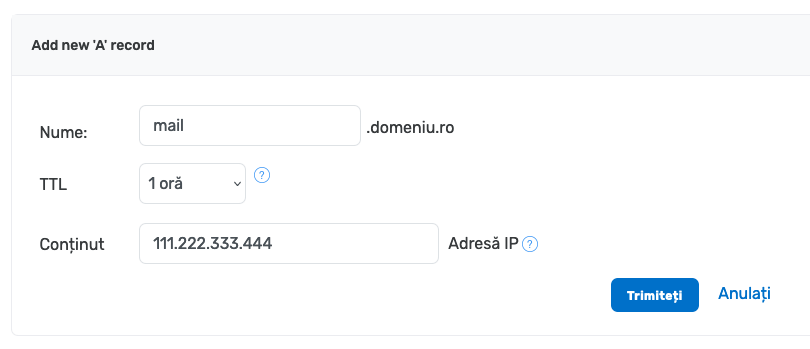
In the A Records section, click the Add new record link.

In the Name field enter mail and in the Content field enter the IP address of the mail server provided by your email hosting provider, then click the Submit button.
You can now use email on this domain. In your email client, for Incoming Mail Server and Outgoing Mail Server, use mail.yourdomain.com.