
If certain emails stopped arriving in your email account because the server’s anti-spam software marked them as spam, you can add that email address (or all emails from a certain domain) to a “whitelist.” This means those emails will bypass the anti-spam filter, and you will definitely receive those messages.
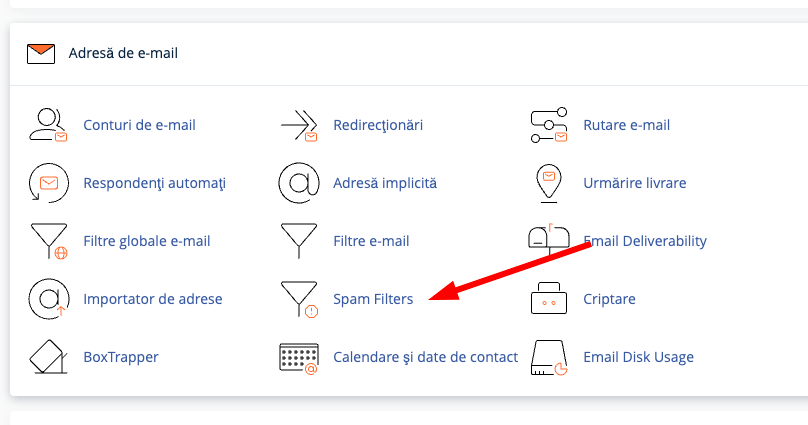
To do this, go to cPanel and click on the Spam Filters button.
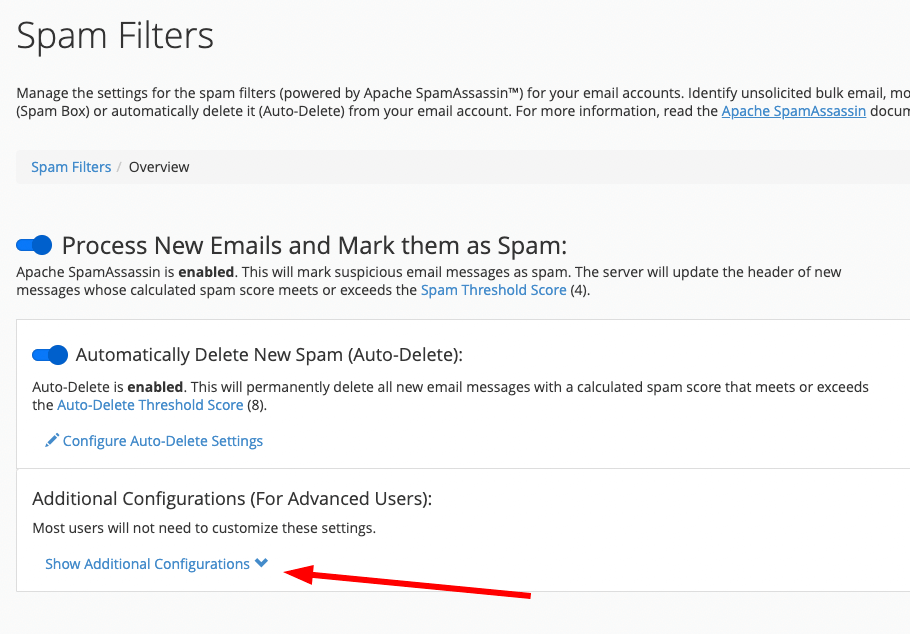
Now click on Show Additional Configurations as shown in the image below.
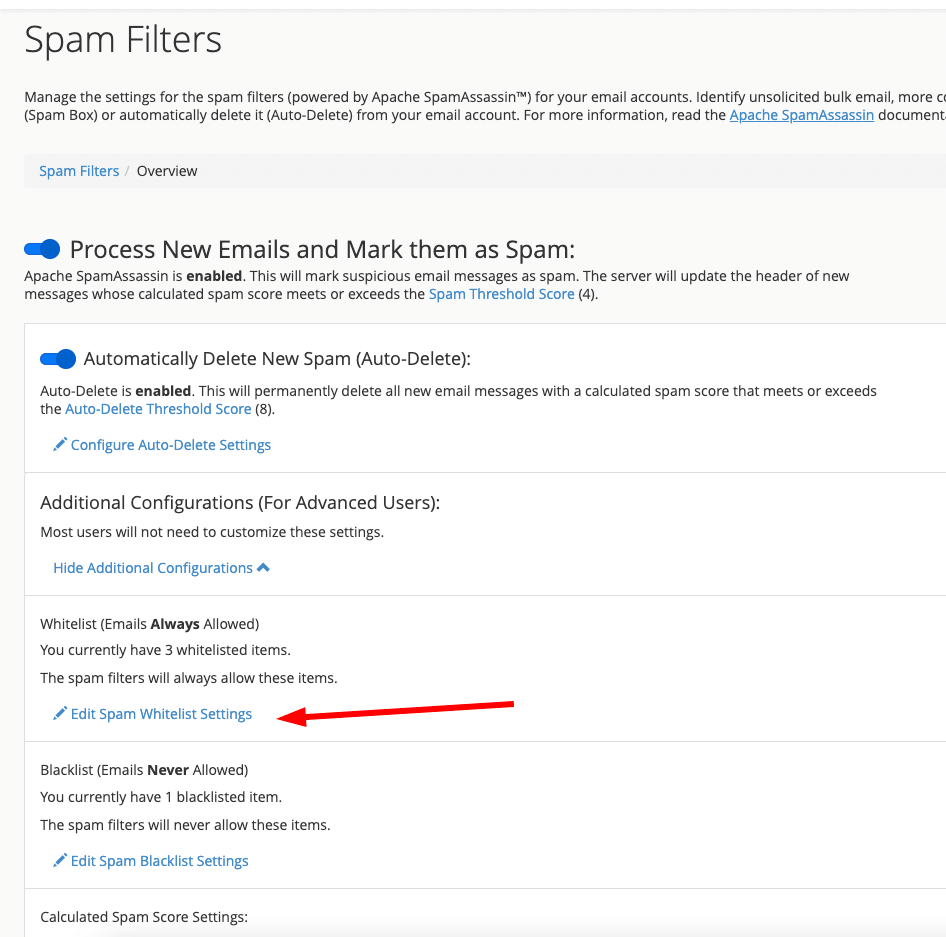
Now click on Edit Spam Whitelist Settings.
On the next page, in the whitelist_from field, you can enter either a full email address or all email addresses from a domain (enter in the form *@respective-domain.com).
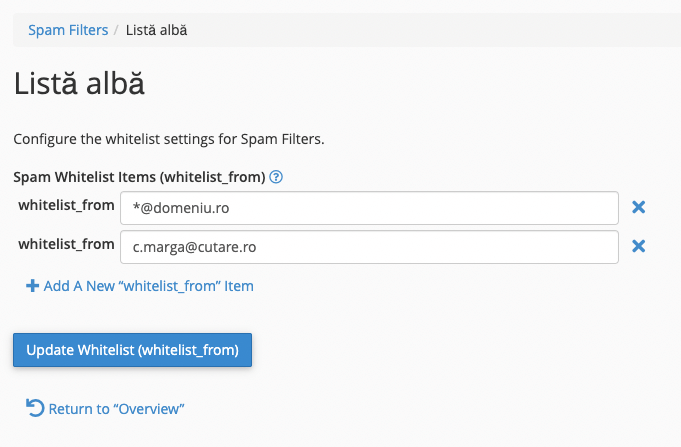
The last step is to press the Update Whitelist button, and now you will receive emails from the specified addresses or domains without issues; they will no longer be marked as spam.