
A domain name must have associated nameservers to function. These are specified by the company hosting your website or by a DNS management service such as CloudFlare or our free Hosting DNS service.
If you registered a domain through Host-Age.com, you can easily manage it from your client account.
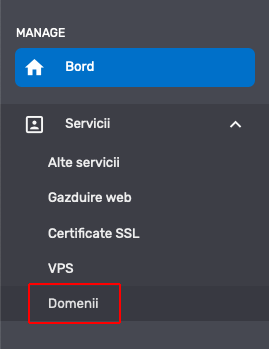
Thus, after the domain is activated, you need to access your client account at https://my.host-age.ro and from the left side under the Services section, click on Domains.
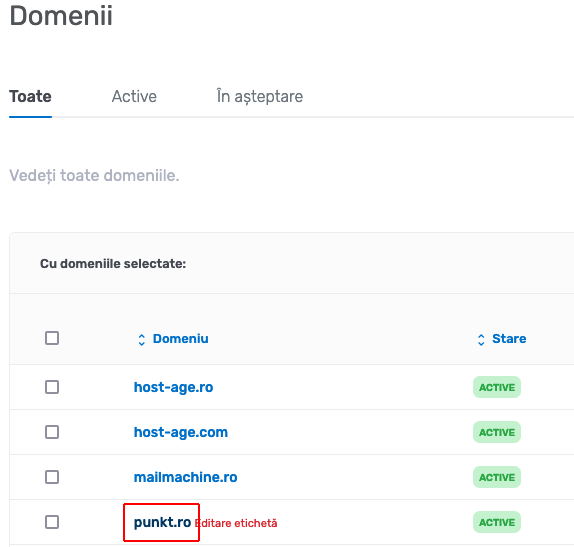
In the newly opened page, click the domain for which you want to modify the nameservers.
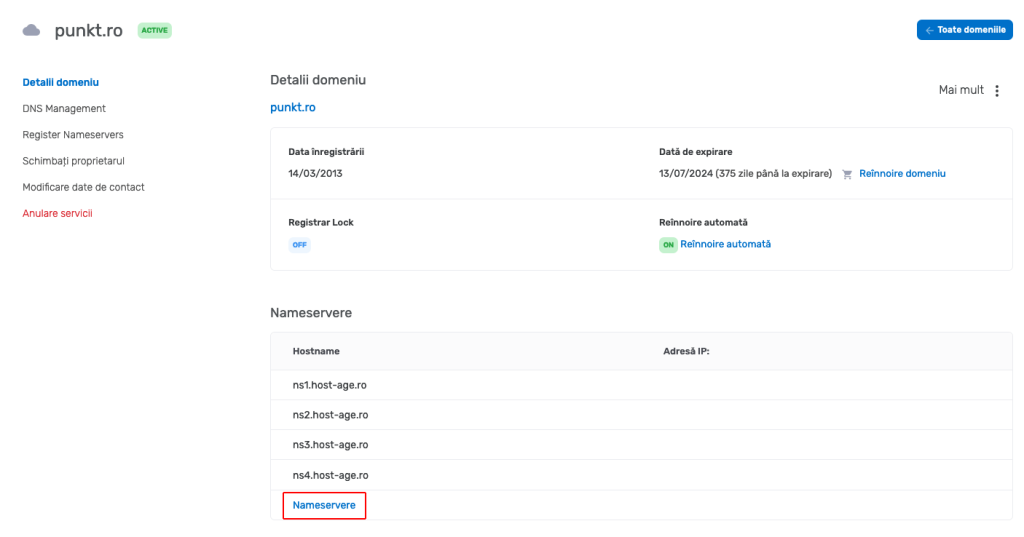
Now you are on the domain administration page. To modify the nameservers, click on Nameservers as shown in the image below.
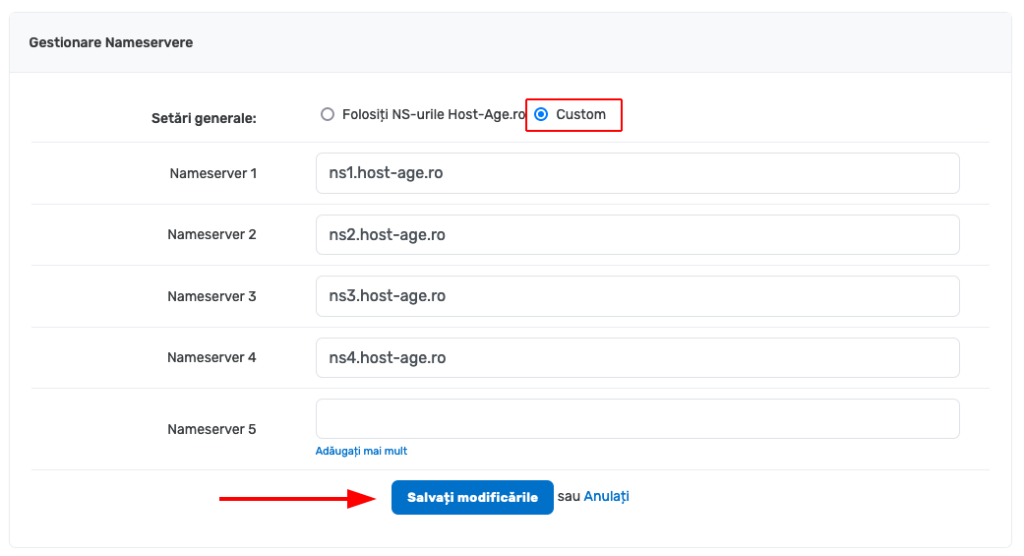
On the new page, click Custom to be able to modify the nameservers, then enter the desired values. After entering all the desired nameservers, click the Save Changes button.
Attention! After modifying the nameservers, it can take up to 24 hours for the changes to propagate.