Content
If you want to register a domain in the name of another person or company, but place and pay for the order from your Host-Age.ro client account, you can easily do this during the ordering process.
Steps to follow:
- Log in to your client account on my.host-age.ro
- Add the desired domain to the cart.
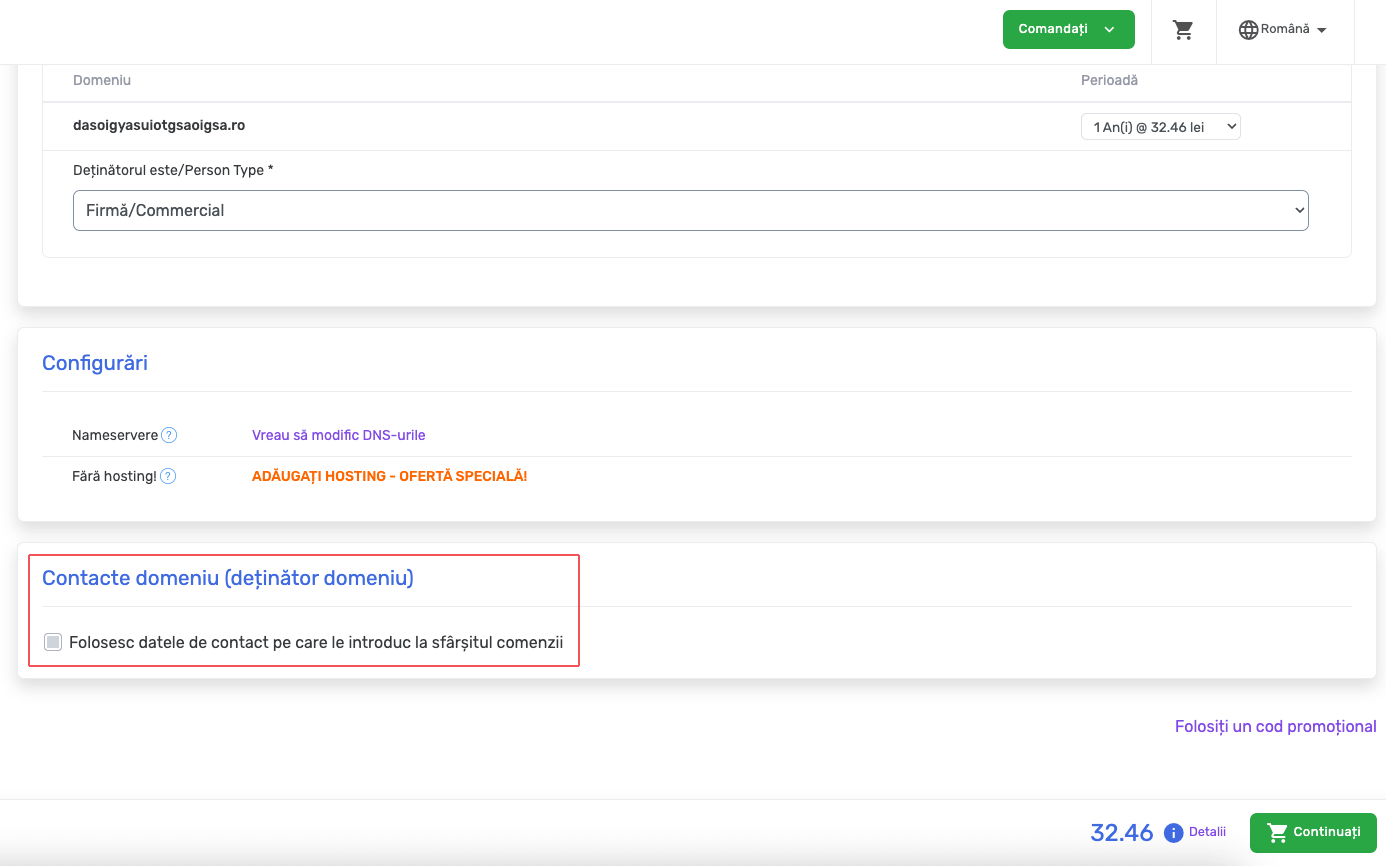
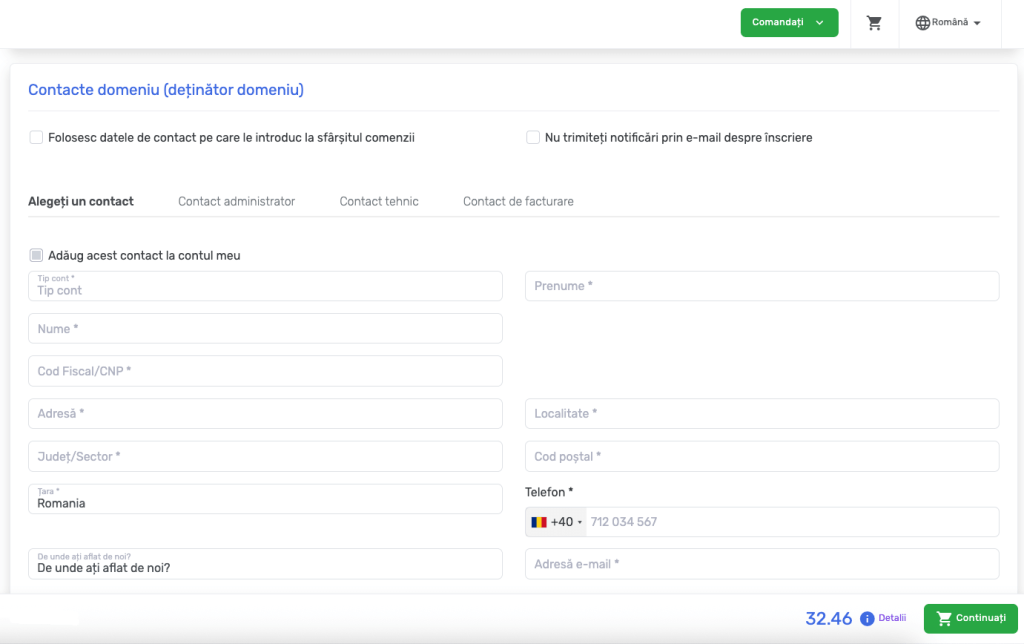
- At the step “Domain Contacts (Domain Holder)”:
- Uncheck the option “Use the contact details I enter at the end of the order”.
- Fill in the fields with the details of the person/company in whose name you want the domain to be registered.
- Continue the ordering process and complete the payment.
Thus:
- The domain will be registered with the details of the indicated person/company.
- The invoice will be issued with your details, from your client account.
- You will be able to manage the domain from your client account.